
More clients. Not more checking effort.
More clients, more responsibility – but not more check-ins. PaceViewer monitors your clients’ individual PPC goals every day. Your team sees where action is needed.
No credit card · All features · Guided onboarding
SOUND FAMILIAR?
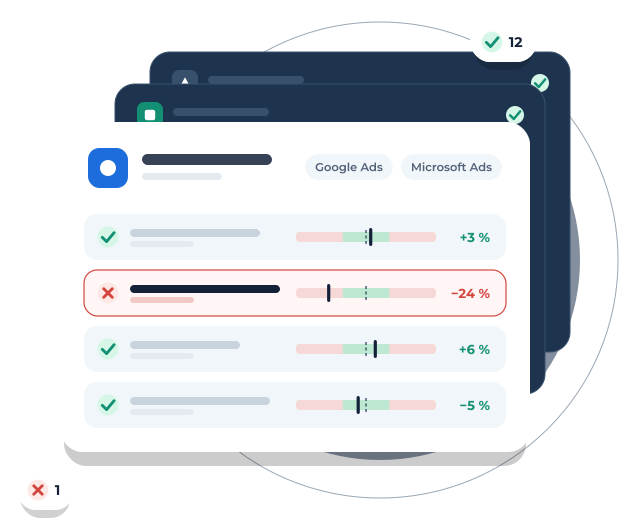
More clients. More accounts. More check-ins?
You want to win new clients, deliver great results and make good use of your team. But with every new account, the daily checking work grows too.
More clients should bring more revenue. Not just more work.
While your team checks numbers, there’s no capacity left for optimization, client care and growth.
Routine ties up specialists.
PPC experts check the same accounts and KPIs every day.
Overview stays a management task.
Which client goals are going off track – and who noticed?
Growth costs capacity.
Every new client brings additional check-ins.
Teamwork gets confusing.
Access and goals need to be clearly organized across team members.
THE SOLUTION
Your team optimizes. PaceViewer monitors.
For every client, your team knows which KPIs are within their target range – and where to take a closer look. The detail view helps with the analysis. You keep the overview without having to check every account yourself.
If you like, PaceViewer notifies your team about deviations by email every day.
MADE FOR YOUR TEAM
All clients in view. Clear responsibilities.
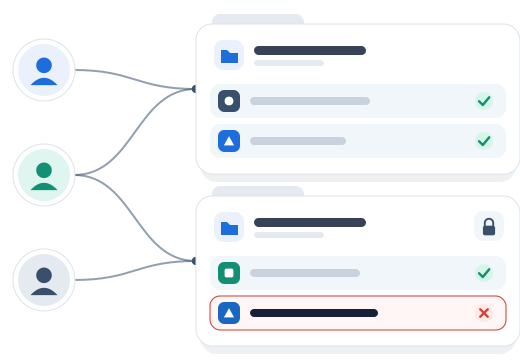
Whether three clients or thirty: with workspaces, you organize ad accounts and performance goals by client or project.
You decide which team members get access to which areas. That way, your team keeps the overview without everyone having to see everything.
- Workspaces for clients and projects
- Access for the right team members
- A central overview of all client goals
- Unlimited users and ad accounts
YOUR CLIENTS. THEIR GOALS.
Every client has different goals. PaceViewer adapts.
One client needs 100 leads. The next one €5,000 in revenue – but not spread evenly across every month.
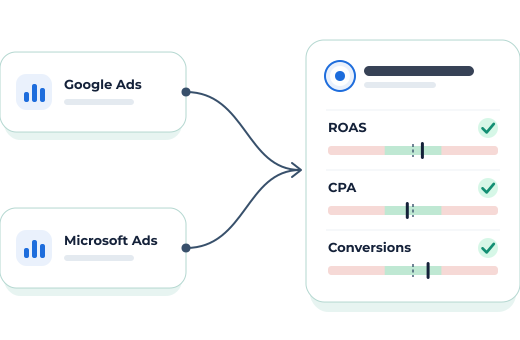
Set time periods and target values for each interval individually. Combine Google Ads and Microsoft Advertising, several independently evaluated KPIs and specifically filtered campaigns.
Your client agreements set the rules – not the tool.
FROM EVERYDAY AGENCY LIFE
More than 40 hours less checking effort. Every month.
The agency Onlinemarketingliebe moved the monitoring of all its client accounts from manually maintained Excel lists to PaceViewer.
“By switching from manual Excel lists to PaceViewer, we save more than 40 hours a month on monitoring and reporting. Our morning check instantly shows where action is needed – and the time we gain goes straight into strategic support for our clients.”
Onlinemarketingliebe GmbH
Performance marketing agency
BUILT WITH HANDS-ON PPC KNOW-HOW
Different clients. Different goals. One solution.
Every client has their own KPIs, time periods and requirements. That’s why daily checks shouldn’t get more complex with every new client.
Drawing on PPC experience and software expertise, Hannes and Jan built PaceViewer: so agencies can monitor individual client goals centrally – without having to hunt for every deviation themselves.
IT’S THIS SIMPLE
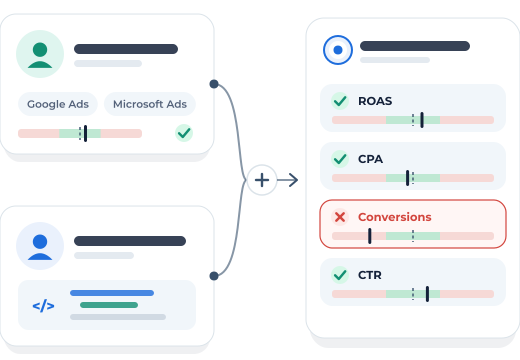
Three steps. And the goals stay in view.
Your team can get started without replacing its existing reporting.
Select ad accounts
Connect Google Ads and Microsoft Advertising. Choose the client accounts you want PaceViewer to monitor.
Set client goals
Define KPIs, time periods, target values and tolerance ranges. Select campaigns specifically and organize your goals in workspaces.
Spot deviations
PaceViewer monitors the target ranges. If you like, you get a daily pacing report with the KPIs that stand out.
TRANSPARENT PRICING
More clients. Not automatically more user fees.
All features, unlimited users and ad accounts included. Your plan is based on the actual ad spend of your selected accounts over the last 30 completed days – not on your team size.
ALWAYS INCLUDED
One plan. Everything for your team.
- All features
- Unlimited users
- Google Ads accounts
- Microsoft Ads accounts
- Individual KPI goals
- Email alerts
- PowerPoint reporting
- Workspaces & permissions
- Guided onboarding
- 30-day free trial
You stay in control.
PaceViewer monitors with read-only access, never changes your ad accounts and never contacts your clients.
GOOD QUESTIONS. CLEAR ANSWERS.
The questions agency owners ask.
How secure is our client and performance data?
PaceViewer only has read-only access to your ad accounts and never changes campaigns, bids or budgets.
In regular administration, PaceViewer staff only see the information required for organization, account management and billing – including ad account names and ad spend.
Individual performance goals, analyses and reports are not visible there. In exceptional cases, access may be technically necessary to fix errors.
Your data is hosted on servers in Germany.
Can third parties access our client data?
No. PaceViewer is a standalone, independent software company and never makes your client data available to any third party. No data broker. No advertising agency. Simply no one.
You manage who within your organization gets access to ad accounts and performance goals via workspaces and permissions.
Will our clients find out that we use PaceViewer?
Not through PaceViewer. It never notifies connected ad accounts about its use. Access is read-only, so nothing changes in your clients’ accounts. Whether and how you mention PaceViewer to your clients is entirely up to you. Good to know: the PowerPoint export includes the PaceViewer logo, so PaceViewer is visible if you share it.
Will an additional tool make our processes more complicated?
PaceViewer adds daily monitoring of individual client goals to your existing reports. Your team doesn’t have to replace its current reporting workflows.
Is PaceViewer worth it for small and large agencies?
PaceViewer works for teams of different sizes. Especially with several client accounts, workspaces, central goal overviews and automated checks make a real difference.
Can we try PaceViewer for free?
Yes, for 30 days with all features and no credit card.
Can my team members look after different clients?
Yes. With workspaces and access permissions, you control which team members can see which client areas.
Can I set different targets for each client?
Yes. You define individual time periods and can distribute target values freely across the intervals. Example: €1,000 in revenue in months 1 and 2, €3,000 in month 3.
How does monitoring multiple KPIs work?
You can combine several KPIs in one performance goal. Each KPI gets its own target values and tolerance limits and is evaluated independently.
The daily pacing report only lists the KPIs that are outside their target range.
Does PaceViewer help you identify the causes of goal deviations?
Yes. In the goal detail view, you see how your KPIs develop, relevant campaign data and comparisons with earlier intervals.
This helps you put anomalies and possible seasonal patterns into context. You and your team decide what is actually behind them and which actions make sense.
Can Google Ads and Microsoft Advertising be combined in one goal?
Yes. You can monitor selected accounts and campaigns from both platforms within one shared performance goal. Campaigns can also be filtered dynamically by name and label.
Do I pay extra for additional team members or client accounts?
No. Users and ad accounts are included without limits. Your plan is based on the actual ad spend of your selected ad accounts over the last 30 completed days.
Can I still use the results for client presentations?
Yes. PaceViewer offers a PowerPoint export and complements your existing reporting solutions instead of replacing them.
MORE TIME FOR WHAT MATTERS
Manage more clients. Not more account checks.
Your team focuses on performance and clients. PaceViewer keeps an eye on the agreed goals.
No credit card · All features · Guided onboarding